Upload Steering Configuration
You can upload predefined settings for each of your steering trees using an external csv or Ms Excel file.
A screen capture of the Upload Steering Configuration dialog box is shown here.
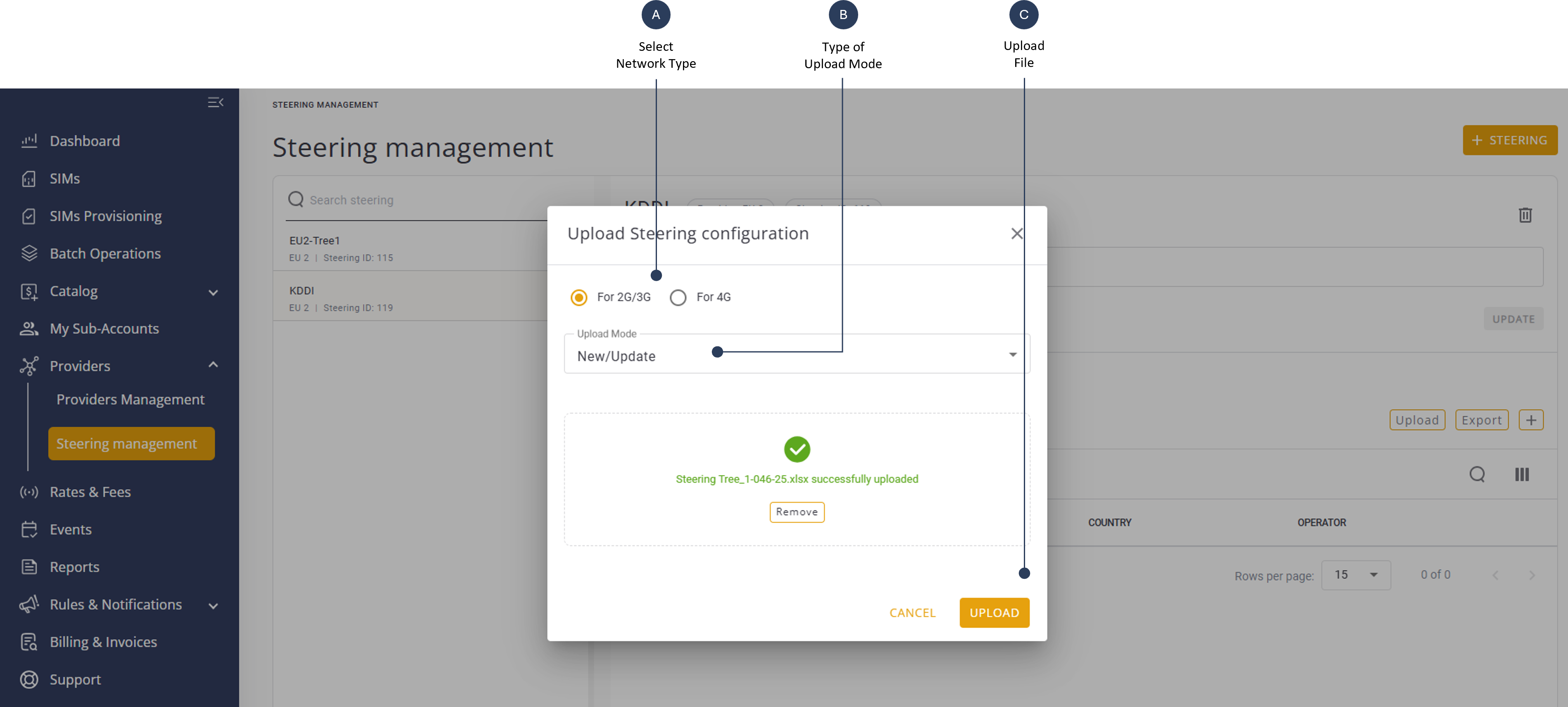
To upload steering tree settings from a file, do these steps.
- Select Providers | Steering Management from the sidebar.
- Select a Steering Tree in the left panel to display the Steering Tree details.
- Click Upload on the right side of the steering tree details panel. The Upload Steering Configuration dialog box is displayed.
- Select one of the options:
- For 2G/3G
- For 4G
- Select the appropriate Upload Mode:
- New/Update - new entries shall be added, existing entries shall be updated.
- Delete - to delete existing entries from the current configuration.
- Full Upload - the current configuration shall be fully updated with the entries from the uploaded file.
- Drag and drop your csv or Excel file to the specified area in the dialog box.
- Click Upload to update the system with your data.
Tip: you can you the Export Steering Configuration option as a good starting point for such a file.